The problem I wanted to solve
Manually creating a login, formatting a welcome email, and sending it might take a few minutes per client — but a few minutes per client, done inconsistently and squeezed between everything else, is exactly the kind of small task that quietly slips.
An automated version doesn't just save time, it removes the chance of a client being approved and then... forgotten, because the follow-up step depended on remembering to do it.
Do the rough math: call it five minutes per client. At even ten clients a month, that's nearly an hour of fiddly, forgettable admin — and one forgotten client would cost far more than the hour.
What it actually produces
-
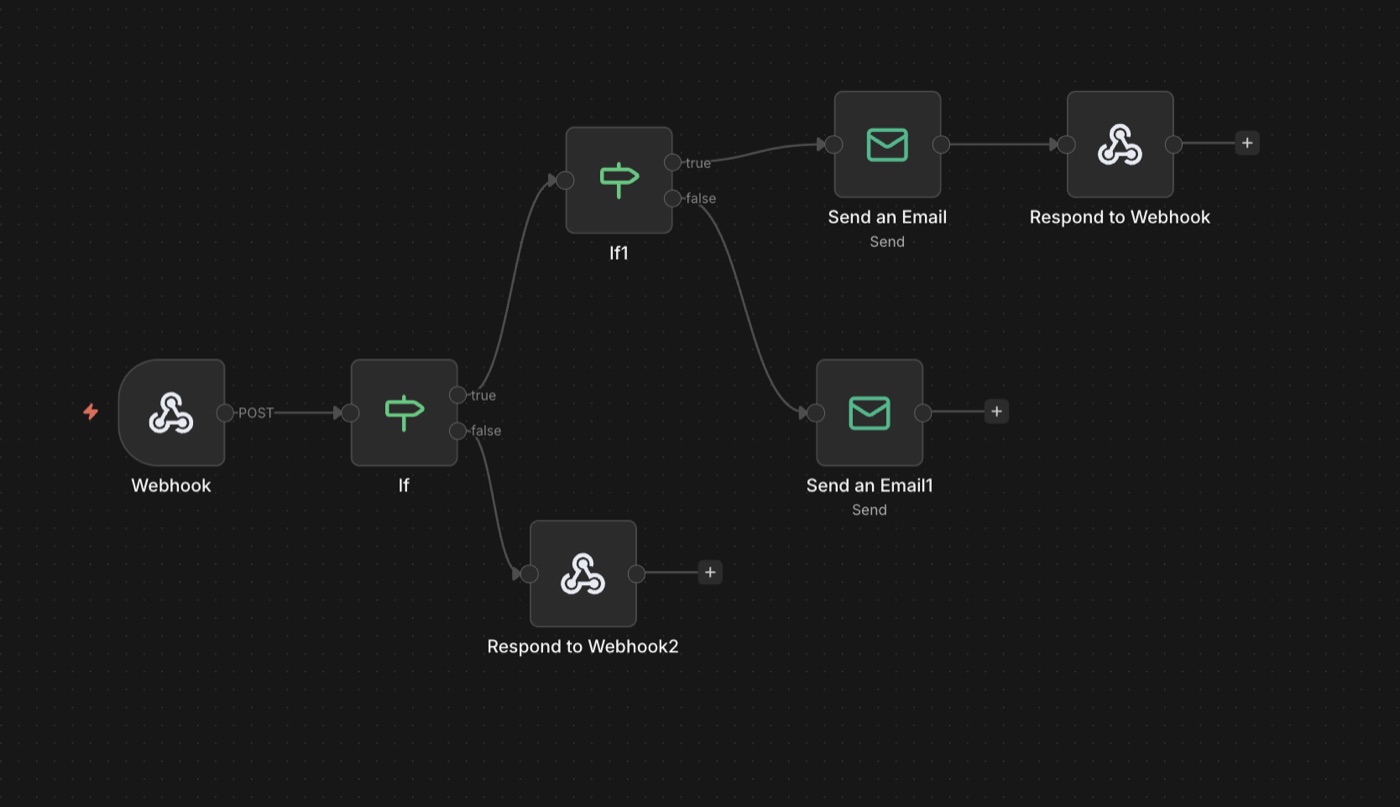
keyPortal credentials, generated automaticallyApproval triggers an n8n workflow that creates the client's portal login — no manual account-creation step.
-
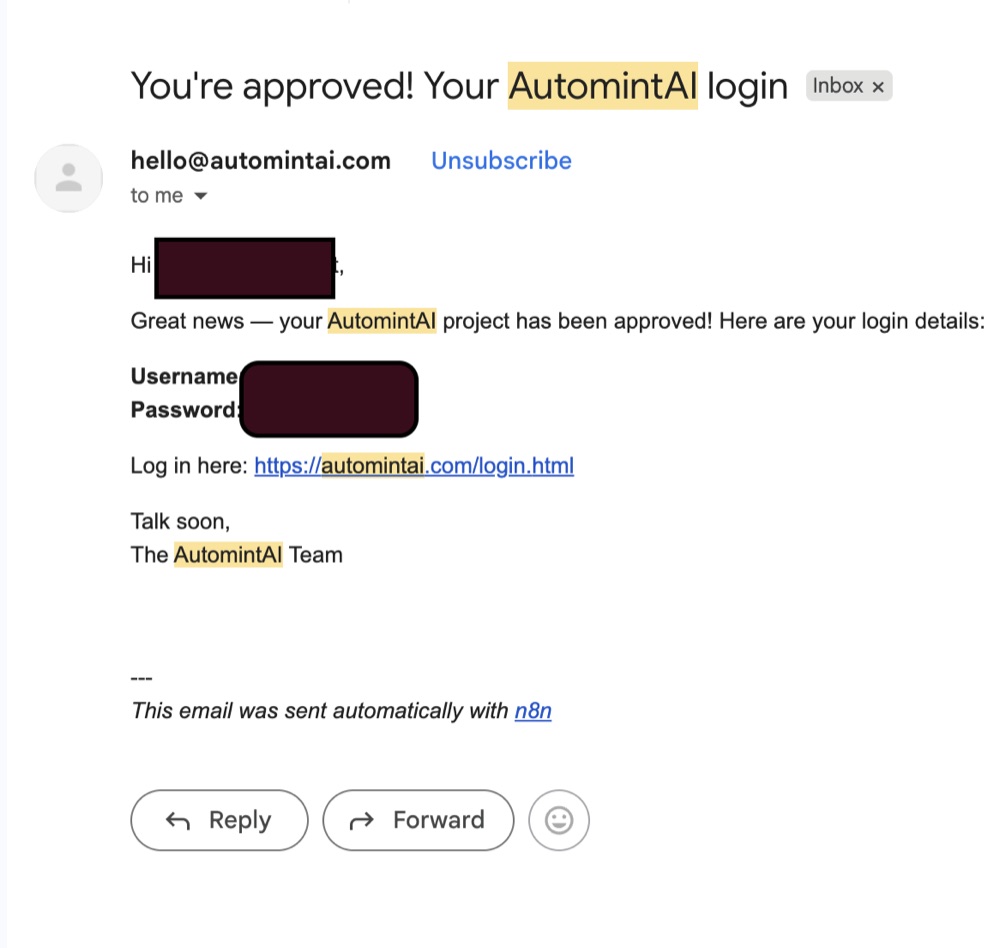
mailA welcome email that sends itselfCredentials go out by email the moment they're generated — consistently formatted, never forgotten.
-
alt_routeChannel-agnostic by designWebsite chat or a real phone call — approval triggers the exact same step either way.
Why the channel shouldn't matter
Project submissions can come from either channel the sales agent runs on: a website chat conversation or an actual phone call, since both share the same underlying agent and write to the same leads system. That post is the upstream half of this one — capture → approve → onboard is a single pipeline, and this is its last leg.
Whether a client's first conversation happened by typing on the website or by talking on the phone, the path from "approved" to "has working access" is identical. That's deliberate — the onboarding automation was built to trigger off approval status, not off which channel produced the lead, so the calling agent and the chatbot both feed the same pipeline without needing separate onboarding logic for each.
How it feels to use
-
A project gets submittedThrough the website's free project submissions — via chat or a phone call, both landing in the same system.
-
You review and approve itThe one step that stays human — deciding whether the project is a fit.
-
The client has working accessPortal login generated, welcome email sent — automatically, with nothing left to remember.
Why this one is different
This is one piece of a larger client lifecycle that's all connected rather than built as separate tools: a project gets submitted, it shows up in the website's project tab, approval triggers the portal-creation and email automatically, and the client lands in a working portal without anyone on the other end doing manual setup work.
The value of automating a workflow like this isn't the individual step — it's that the whole path from "someone submitted a project" to "someone has working access" never depends on a person remembering to do the next thing.